Key takeaways
- "Offline" describes at least four separate things — the core loop, advertising, accounts and cloud saves, and live online features — and a game can be offline in some of them and not others.
- Turn-based draft-and-simulate games are structurally the best fit for no-signal play because nothing in the loop needs a second person or a server.
- Airplane mode plus a full cold start is a five-minute test that answers the question definitively for any app.
- A free, ad-supported game will usually behave differently without a connection, because the ads themselves need one.
- Local-only saves are the trade for not needing an account: nothing to log into, and nothing to recover if the app is removed.
You are on a plane, or on a train through a tunnel, or somewhere with two bars that keep pretending to be four. You open a game that worked fine at home and it sits on a loading screen.
The frustrating part is that this was findable in advance. "Offline" just is not one property, and a store page saying so — or not saying so — tells you less than people assume.
Four things "offline" can mean
Pull them apart and the question becomes answerable.
1. The core loop. Can you start the game, play a full session and reach a result with no network at all? This is the one that matters and the one people mean.
2. Advertising. Free games funded by ads need a connection to fetch them. A game whose core loop is entirely local can still behave differently offline, because the ad slot has nothing to show.
3. Accounts and cloud saves. Some games require sign-in before they will start. Others sign in if they can and shrug if they cannot. A game that needs an account is a game that needs a connection at least once, and often on each cold start.
4. Live features. Multiplayer, leaderboards, timed events, live data feeds. These will not work offline in any game, by definition, and how gracefully an app handles their absence varies enormously.
A game can be fully offline in sense 1 and fully online in senses 2, 3 and 4 simultaneously. That is not a contradiction; it is the normal arrangement for free mobile games.
Why draft-and-simulate is the right genre for this
Some genres fight offline play and some are practically designed for it. Sports management sits firmly in the second group, for reasons worth spelling out.
There is no opponent to wait for. A draft is you against a pool of options. A simulation is the game evaluating what you built. Neither needs a second person, which removes the single biggest reason a mobile game needs a server.
The computation is small and local. Working out a projected record from a roster is arithmetic on a handful of attributes. There is no reason for it to happen anywhere but on the phone in your hand.
There is no live data. A simulator whose player pool ships inside the app has nothing to sync with. Nobody's form changed overnight, no fixture list moved, no injury report needs fetching. The game is complete the moment it is installed.
The session has a natural end. Draft, simulate, read the record, decide whether to run it again. That loop closes, which means an interruption — landing, a tunnel, a stop — costs you a session rather than a save.
Compare that with a game built around live opponents, timed server events or a real-world data feed, and the difference is structural rather than a matter of developer effort.
The five-minute test
The only genuinely reliable answer for your phone is to check on your phone. This takes about five minutes and works for any app.
- Install and open the game once with a connection. First-run downloads and setup are normal and are not evidence of anything.
- Force-close it. Not just background it — close it properly, so the next launch is a cold start.
- Turn on airplane mode. Confirm Wi-Fi is off too; on many phones airplane mode leaves Wi-Fi available.
- Cold start the game and play a complete loop. For a draft game that means starting a draft, finishing it, and getting a result. Reaching the menu is not the test.
- Background the app, wait a minute, and return to it. Some apps re-check for a connection on resume, which is where a game that seemed offline suddenly is not.
- Close it and reopen it again. Confirm your progress survived.
If all six steps pass, the game works offline for your purposes, whatever any description says. If step 4 or 5 fails, you now know before you are at 30,000 feet.
What to expect even when it does work
A few side effects are normal rather than faults.
- Ad slots behave differently. They may be skipped, may show nothing, or may make an optional reward unavailable until you reconnect. Every sports title the studio publishes is free and ad-supported, so this applies to all of them.
- Some screens may pause briefly while a network request times out before the app gives up and carries on.
- Anything explicitly online is gone. That is not a bug, it is the definition.
- Saves are wherever they were. An app with no account stores progress locally, which is why a long franchise deserves a moment's thought about backup before you commit months to it.
What we can actually confirm about our own games
We would rather be narrow and correct here than broad and convenient.
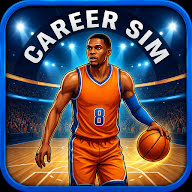
Basketball Career Sim supports offline play and requires no account. That is stated in the game's own listing and it is the clearest case. It is also a good structural fit for no-signal play, because Live Sim hands you individual possessions — take the shot or move it on, defend alone or call for help, play safe or take the risk — so a session can be as short as one decision.
162-0 Baseball Draft & GM Team has no online multiplayer and uses no live results — every record it produces is a projection from the roster you drafted. That tells you the game is not built on other players or on live data, which is a genuine architectural hint. It is not, by itself, the same claim as offline support, and we are not going to present it as one.
For the rest of the sports catalogue, check the current Google Play listing or run the airplane-mode test above. Listings change as apps are updated, and a claim in an article written months earlier is worth less than the store page you are looking at now.
That distinction matters more than it might seem. Plenty of guides in this genre assert offline support across a whole list because it sounds helpful. If the assertion is wrong you find out somewhere with no signal, which is precisely the worst place for it.
The genre fit, using hockey as the example
84-0 Hockey Draft & GM Manager is a clean illustration of why this genre suits interrupted time, regardless of what any individual device does on a plane.
A run consists of filling six slots — centre, both wings, two defence positions and a goaltender — plus a coach, and then receiving a projected 84-game record for the lineup you assembled. That is a complete, self-contained session: a problem, a set of decisions, and a verdict. Limited Draft gives you one pass with zero refreshes, which makes a session shorter still, while Unlimited Draft lets you keep comparing until the combination fits.
Behind that sits Franchise GM Mode for organising forwards, defenders and goaltending across multiple seasons, along with quizzes, timed challenges, roster-building tasks and side-by-side player comparisons — all of which are the same shape: small, closed, resumable. The hockey draft and GM guide covers the drafting itself, and line combinations covers why the six slots are harder than they look.
What the simulation is doing while you are offline
The projected record is produced by the game's own internal rules acting on the roster you drafted. It is not fetching anything, not comparing you to anyone, and not forecasting anything about any real league, team or athlete. It is a score on a roster puzzle, which is exactly why it does not need a network to produce.
A short checklist before you fly
- Install and open every game you plan to use while you still have signal.
- Run the airplane-mode cold-start test on each one.
- Finish one full session offline, not just the menu.
- Check whether progress survives a close and reopen.
- Assume ads will not appear and that anything labelled online will be unavailable.
- If a save matters, find out where it lives before you rely on it.
Five minutes at the gate beats an hour of a loading screen.
Where to read next
If time rather than signal is your constraint, manager games for short sessions covers what makes a management game survive a five-minute window. If you are deciding what kind of sports game you want in the first place, career mode versus franchise mode sets out the two shapes and who each one suits.
Everything the studio makes in this genre is listed under sports GM.
Good to know
Frequently asked questions
What does it mean for a game to work offline?
Which of your sports games works offline?
Does no online multiplayer mean a game works offline?
Will ads still show if I am offline?
What happens to my saves if the game does not use an account?
Are these games connected to real leagues or teams?
League, team and athlete names appear here only to identify the rules, records and history being discussed. Reign Creative LLC's sports games are not affiliated with, endorsed by or licensed by any league, team, players' association or athlete, and all names and marks belong to their owners.
About the author
Reign Creative LLC — The independent app studio that builds the apps covered on this site and publishes every article here. On Google Play it publishes as Reign Collective Apps.
We use AI tools to help research, draft and edit our articles. Each article lists the sources its factual claims rely on, and details about our apps come from their live Google Play listings. No article on this site has been reviewed by an independent expert unless the reviewer is named on it.
Spotted an error? Tell us — how corrections are handled is set out in our editorial policy.