 Video & Utilities
Video Player All Formats PRO
Play local MP4, MKV and MOV files with 0.1x to 3.0x speed control, resume, Picture-in-Picture and a sleep timer.
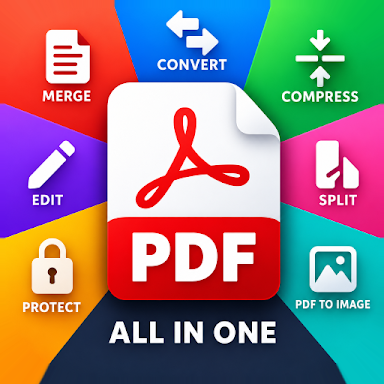
Read, edit, scan, convert, merge, sign and compress PDFs from one Android toolkit.
Free to download · Published by Reign Creative LLC
About this app
PDF All in One Tool No Limit gathers the document jobs that usually take several apps — reading, editing, scanning, converting, organising and protecting PDFs — into one workspace that its listing counts at 82 tools. It is aimed at the paperwork people actually handle on a phone: school notes, office reports, business forms, receipts, invoices, applications, contracts and personal records.
Editing covers annotation — text, notes, highlights, drawings, marks and stamps — and page management: rearrange, rotate, remove or extract pages, merge several files into one, or split a long document into smaller ones. You can create PDFs from images, photos, text and other supported documents, and turn paper pages such as notes, receipts, forms and letters into PDFs with the document scanner.
For forms and sending, you can complete fields, add text and sign a document, then compress it when an email or messaging attachment limit gets in the way. A PDF manager helps you review, organise and rename files before sharing them, and protection tools help you manage sensitive documents.
Store details checked against the live Google Play listing on . Google Play is the source of truth.
Key features
Add text, notes, highlights, drawings, marks and stamps to review or mark up a document before you send it.
Rearrange, rotate, remove and extract pages, merge several PDFs into one, or split a long file into smaller ones.
Turn paper documents into PDFs with the scanner, or create PDFs from images, photos, text and other supported files.
Complete form fields, add text and sign PDF documents for applications, school forms, work documents and agreements.
Reduce file size for email and messaging, and use the protection tools to manage sensitive paperwork.
Good to know
Have a different question? Contact our support team.
Read, edit, scan, convert, merge, sign and compress PDFs from one Android toolkit. Free on Google Play.
Keep exploring
Video & UtilitiesPlay local MP4, MKV and MOV files with 0.1x to 3.0x speed control, resume, Picture-in-Picture and a sleep timer.
 Utilities · TCG Scanner
Identify trading cards with your camera, check market-value estimates by printing variant, and measure border centring from front and back photos.
 Utilities · Transcription
Convert recorded speech into written transcripts for study, work and personal notes — then check names and numbers against the original audio.